
PROFESSIONAL MIDI CAPABILITIES
Create, inspect and export every musical layer.
Explore the tools that turn a musical direction into editable chords, basslines, hooks, vocal ideas, track sections and organised MIDI files.
Professional Piano RollChord & Bass GenerationHook & Vocal IdeasLayered MIDI Export
AI assists. You stay in control.
The generator gives you editable musical material—not a locked audio result. Change the notes, rhythm, harmony, instruments and arrangement, then finish the production in your own DAW.
GENRE & STYLE ENGINE
From broad genre to a focused musical direction.
Choose the musical family first, then narrow it with a Style DNA preset. The generator uses that direction to shape editable chords, bass, hooks and arrangement ideas.
01
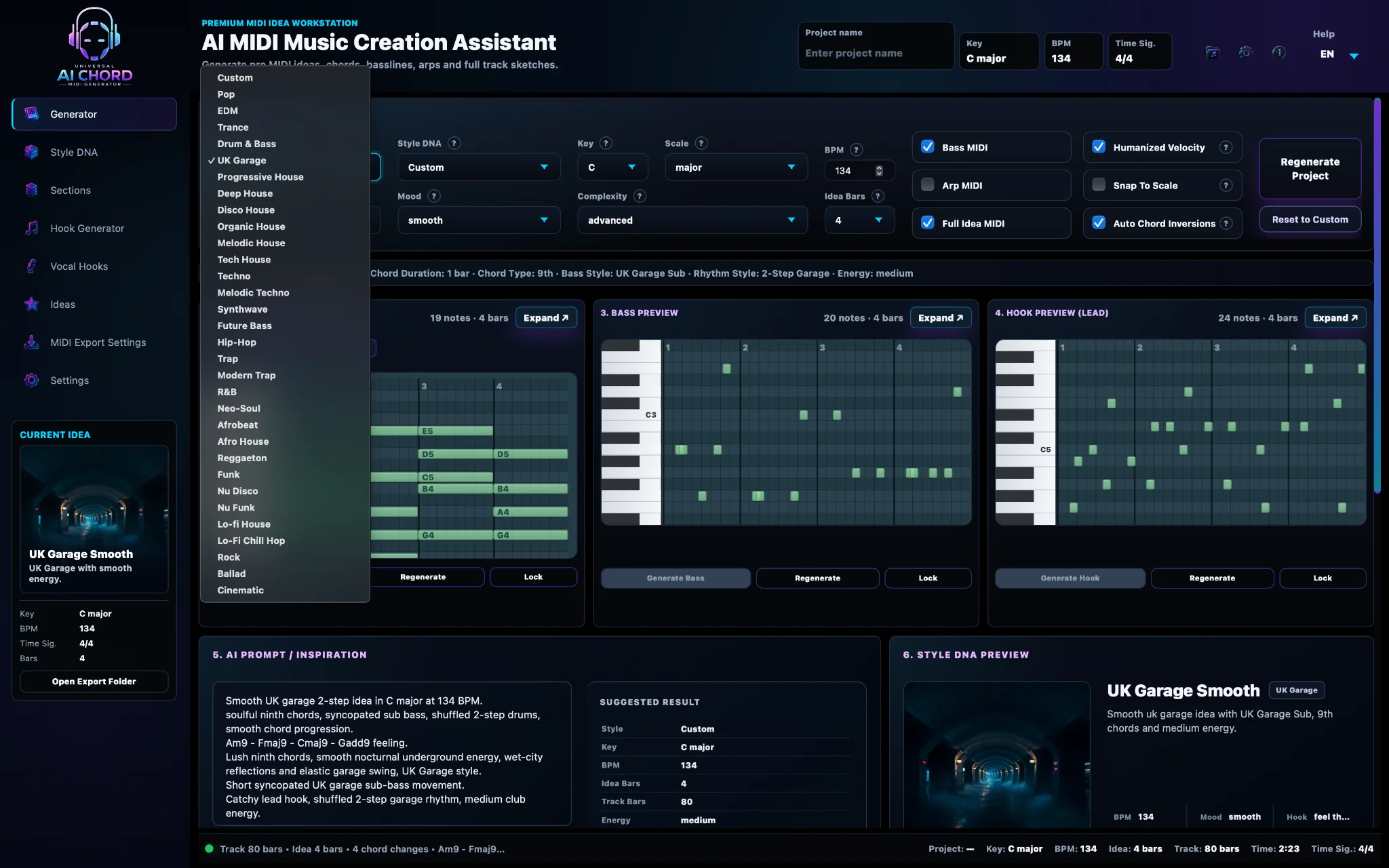
Genre selector
A broad starting point for the musical language of the project—from Pop and EDM to House, UK Garage, Afrobeat, R&B, Trap, Techno and more.
02
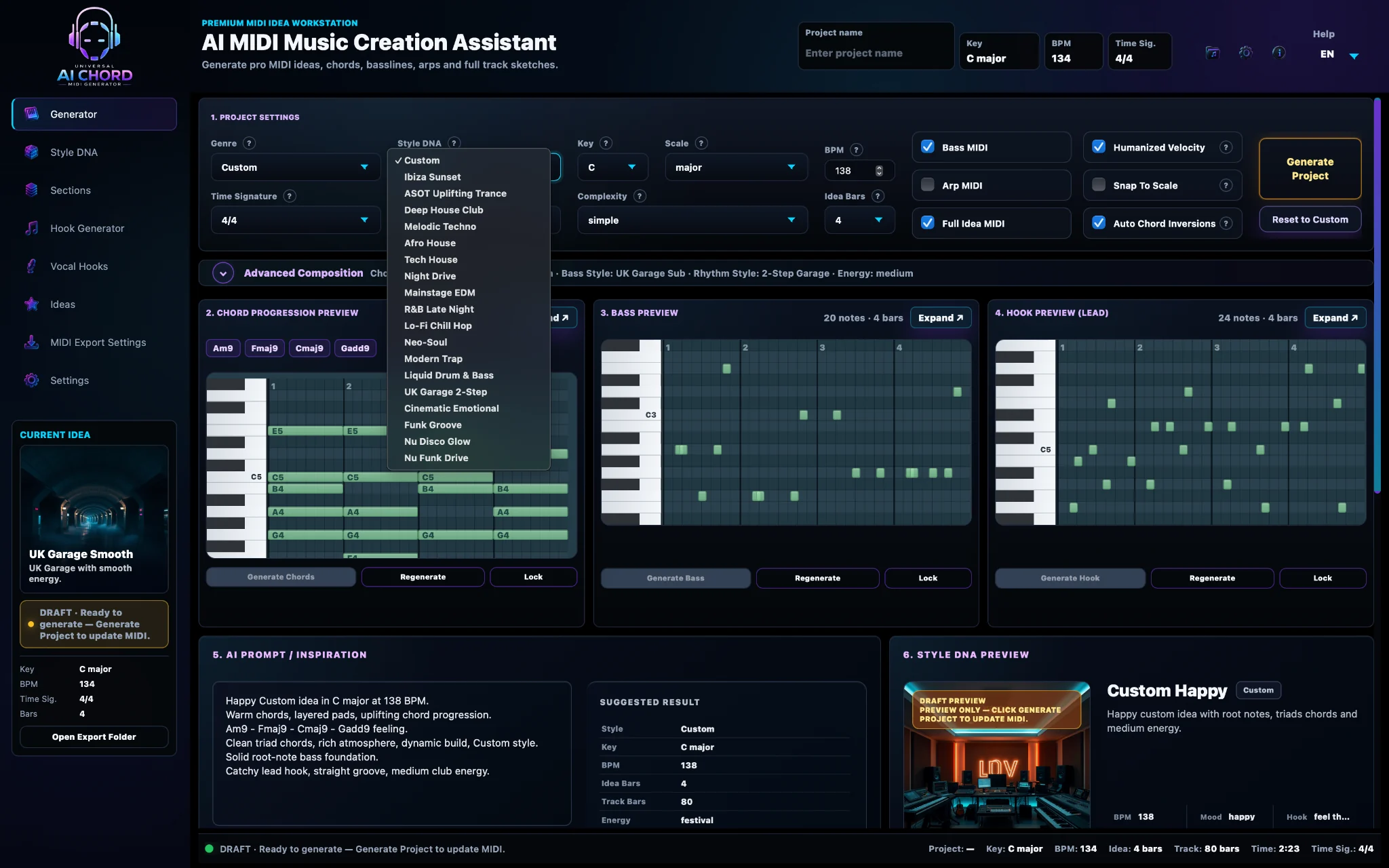
Style DNA preset library
A faster way to choose a more specific groove, mood and production direction such as ASOT Uplifting Trance, Ibiza Sunset, UK Garage 2-Step or Cinematic Emotional.
Example directions available in the current beta
PopEDMTranceHouseUK GarageTechnoAfrobeatR&BTrapHip-HopLo-FiCinematic
CORE CREATIVE TOOLS
The tools behind a complete MIDI idea.
Each capability produces editable musical material you can inspect, regenerate, compare and shape before it reaches your DAW.
01
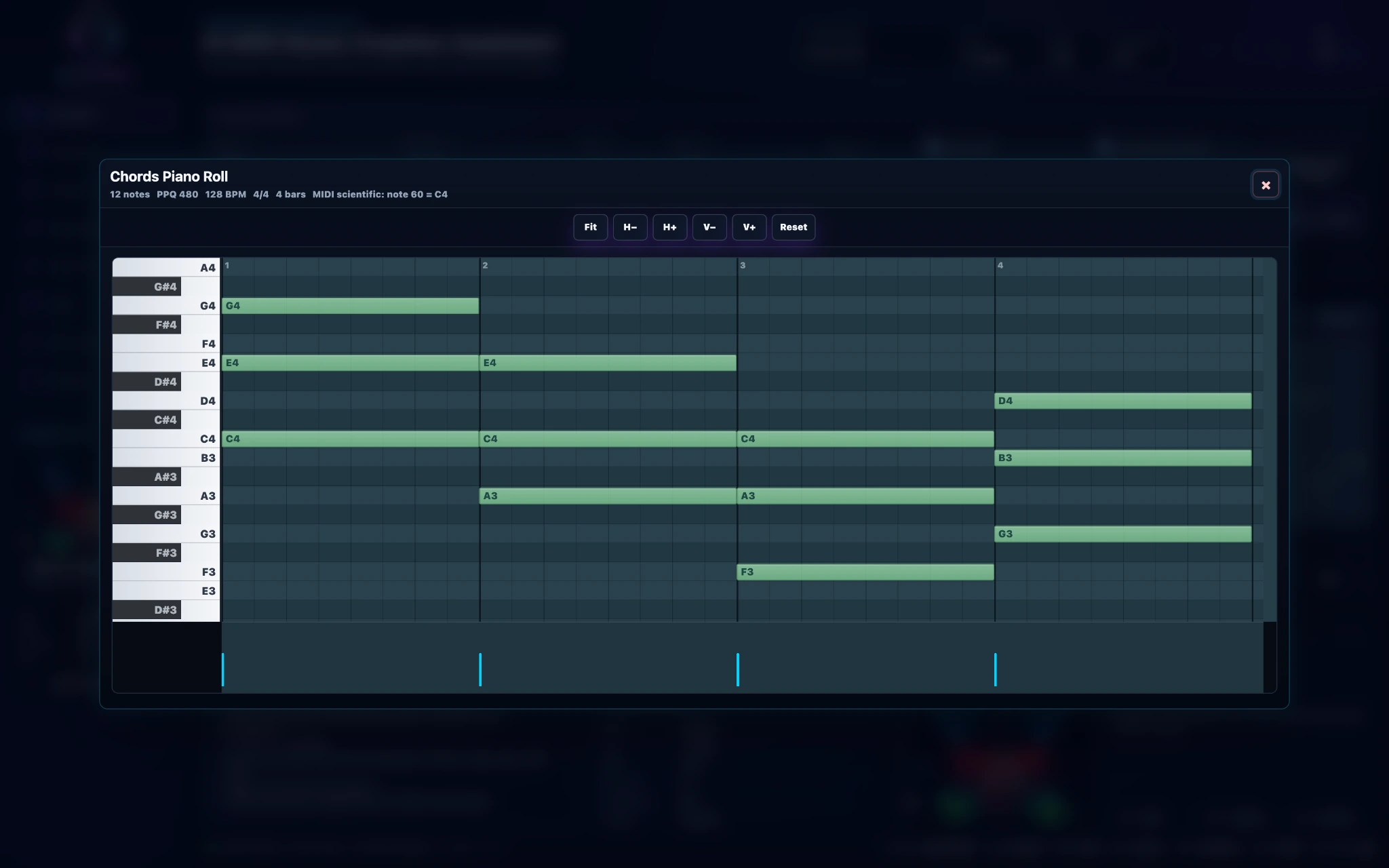
AI Chord Progressions
Create genre-aware chord progressions that match your key, mood and musical direction.
- Custom key, scale and chord character
- Genre-aware harmony and voicings
- Preview, regenerate and explore variations
- Export the progression as editable MIDI
What you gainA strong harmonic foundation without starting from silence.
02
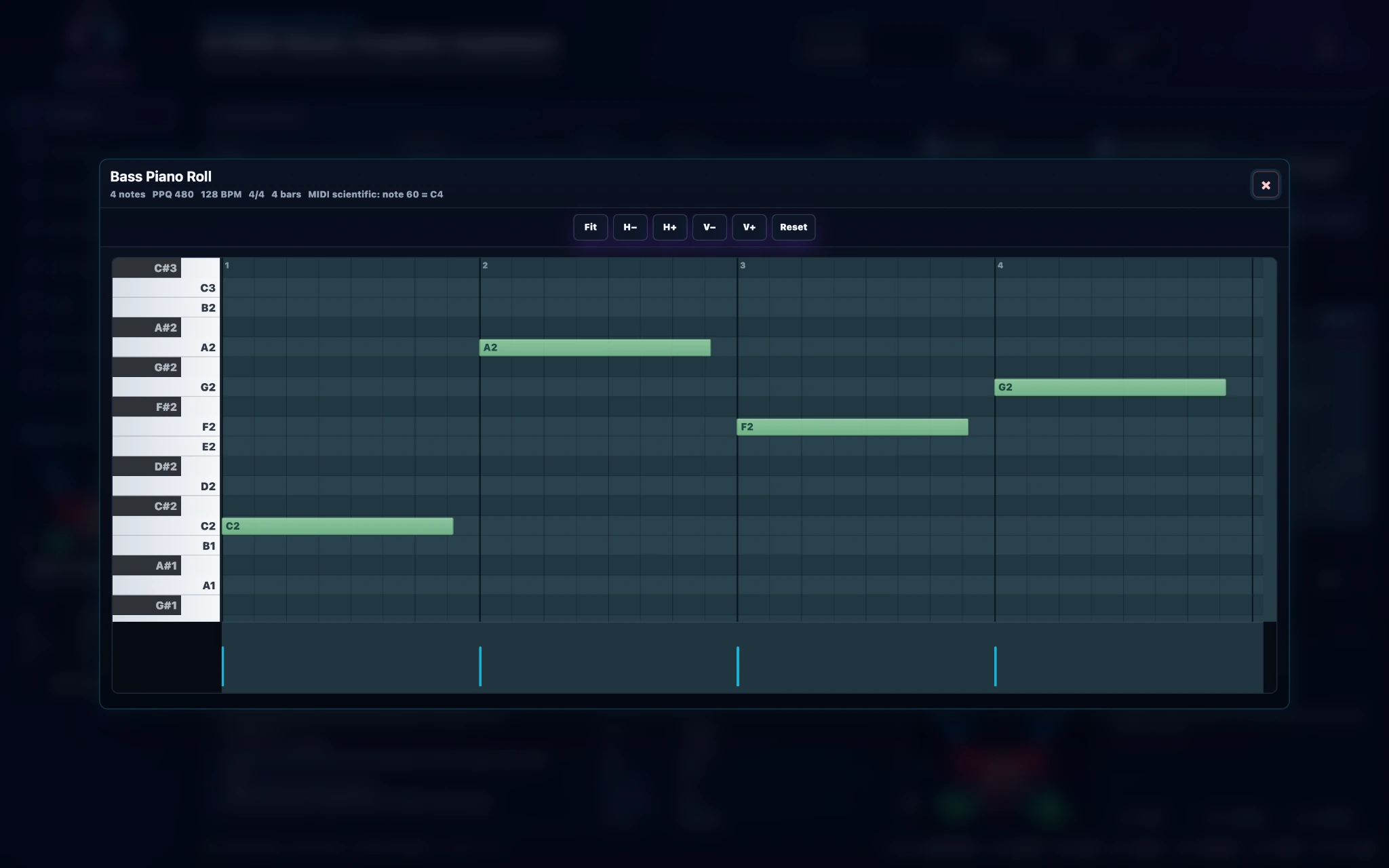
Bass Generator
Generate basslines that follow the harmony, rhythm and energy of the project.
- Multiple bass styles and rhythmic approaches
- Musically matched to the current chords
- Groove, rolling and sub-focused directions
- Editable notes ready for your own sound
What you gainBass that belongs to the idea instead of feeling randomly added.
03
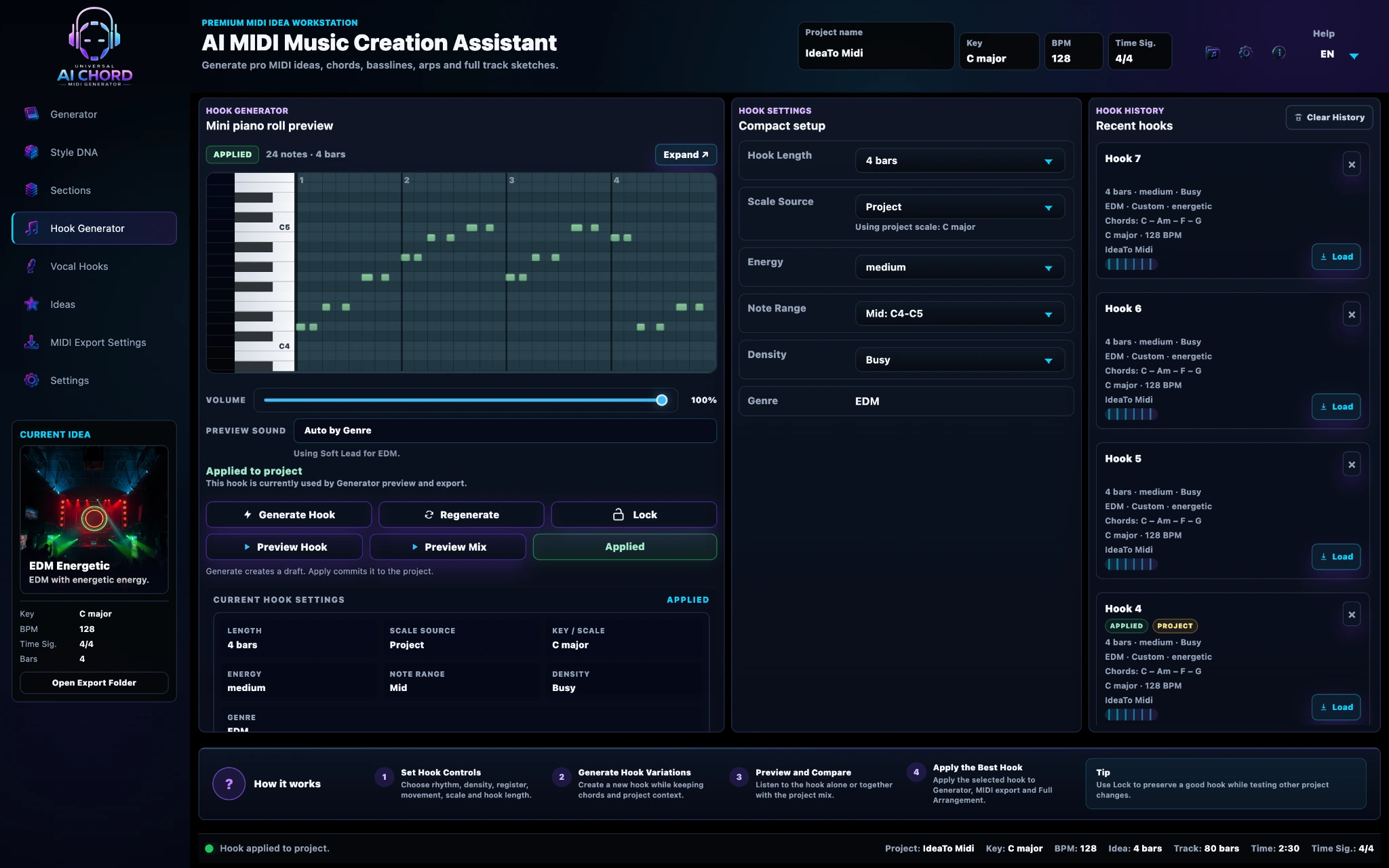
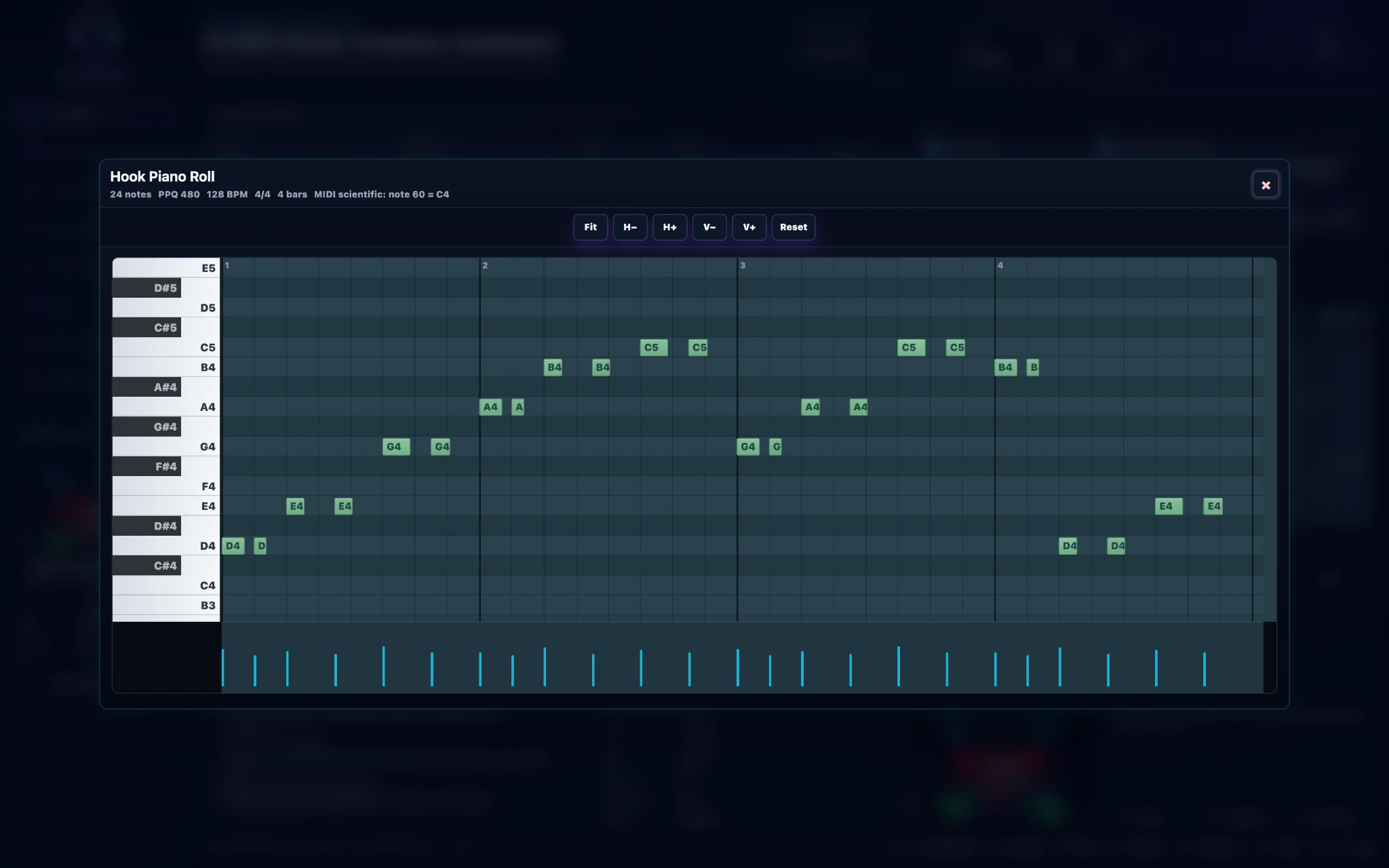
Hook Generator
Create melodic hooks around the current chords, scale, key and tempo.
- Piano-roll preview and fast regeneration
- Lock the parts you want to keep
- Preview the hook alone or inside the mix
- Apply a selected hook to the shared project
What you gainMultiple melodic directions without losing the project’s identity.
04
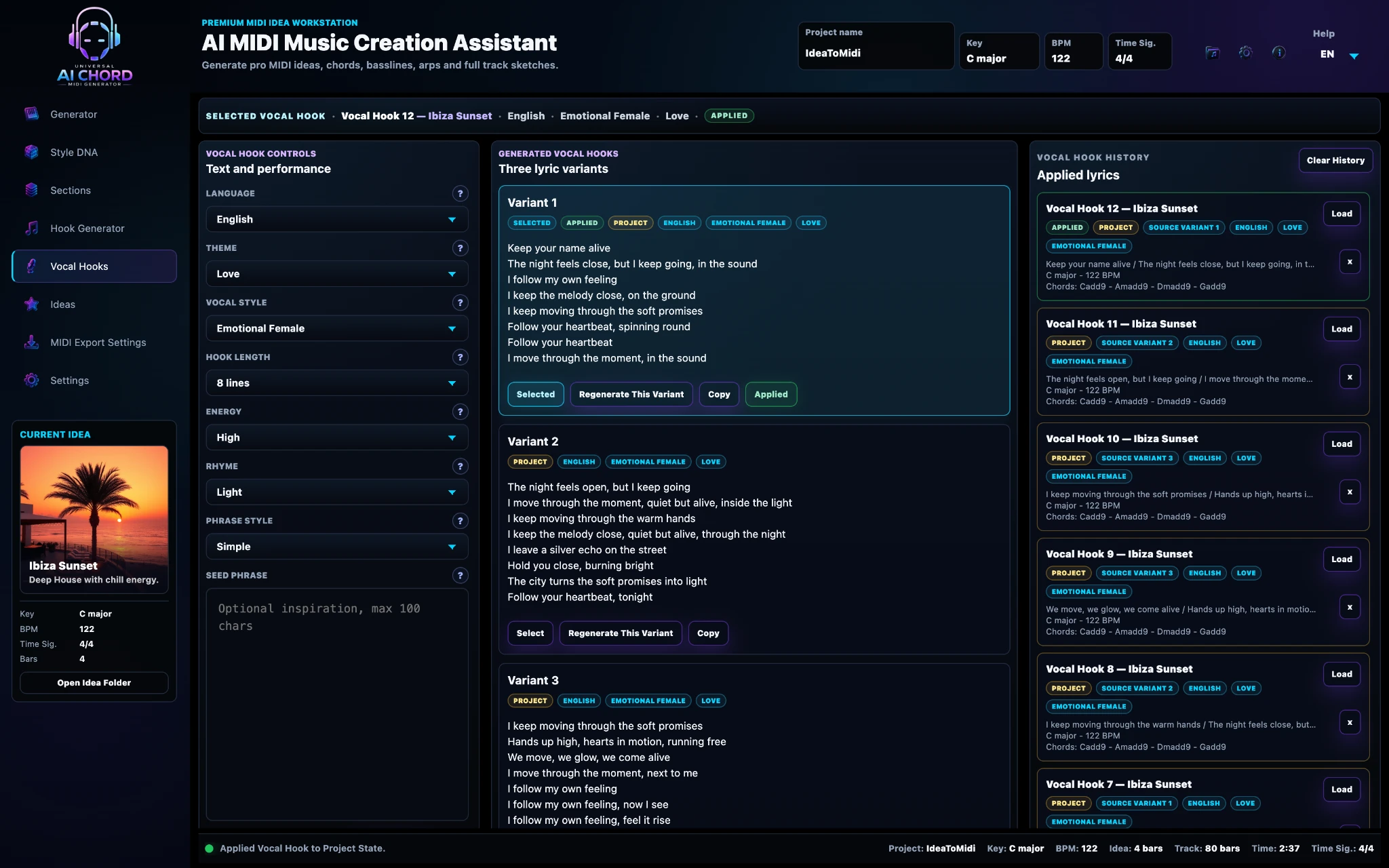
Vocal Hooks
Develop short lyrical phrases and topline directions that match the current musical idea.
- Multiple phrase variants
- Theme, vocal style and energy controls
- Select and apply the direction you prefer
- Prompt-ready ideas for further vocal production
What you gainA focused vocal starting point that supports the track without replacing the final performance.
05
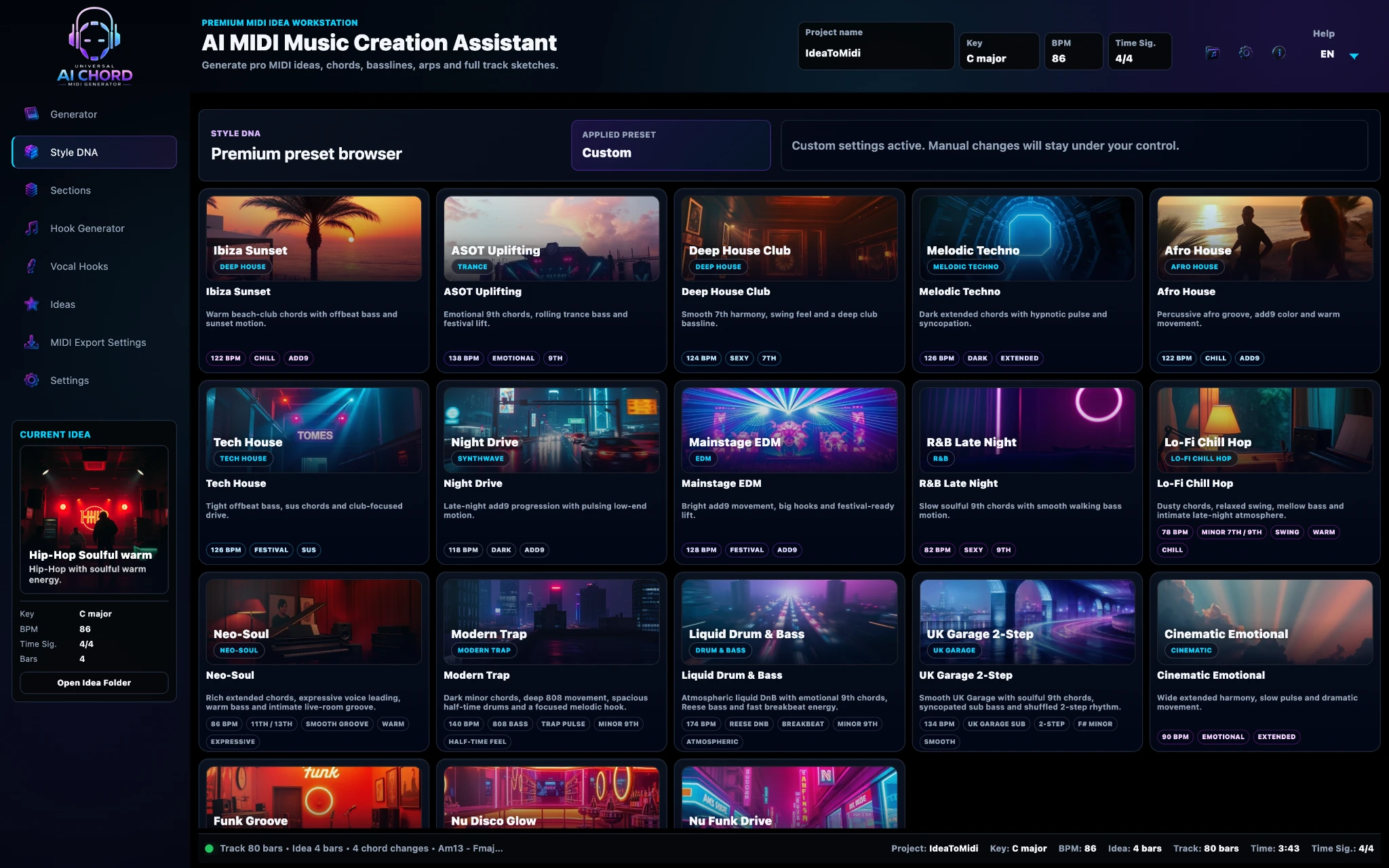
Style DNA
Turn genre, mood, energy and production character into a reusable musical identity.
- Visual genre and style presets
- Mood, energy, density and complexity
- Settings shared with the rest of the project
- Fast starting point with room for deeper control
What you gainStart with a defined musical character—not generic random generation.
06
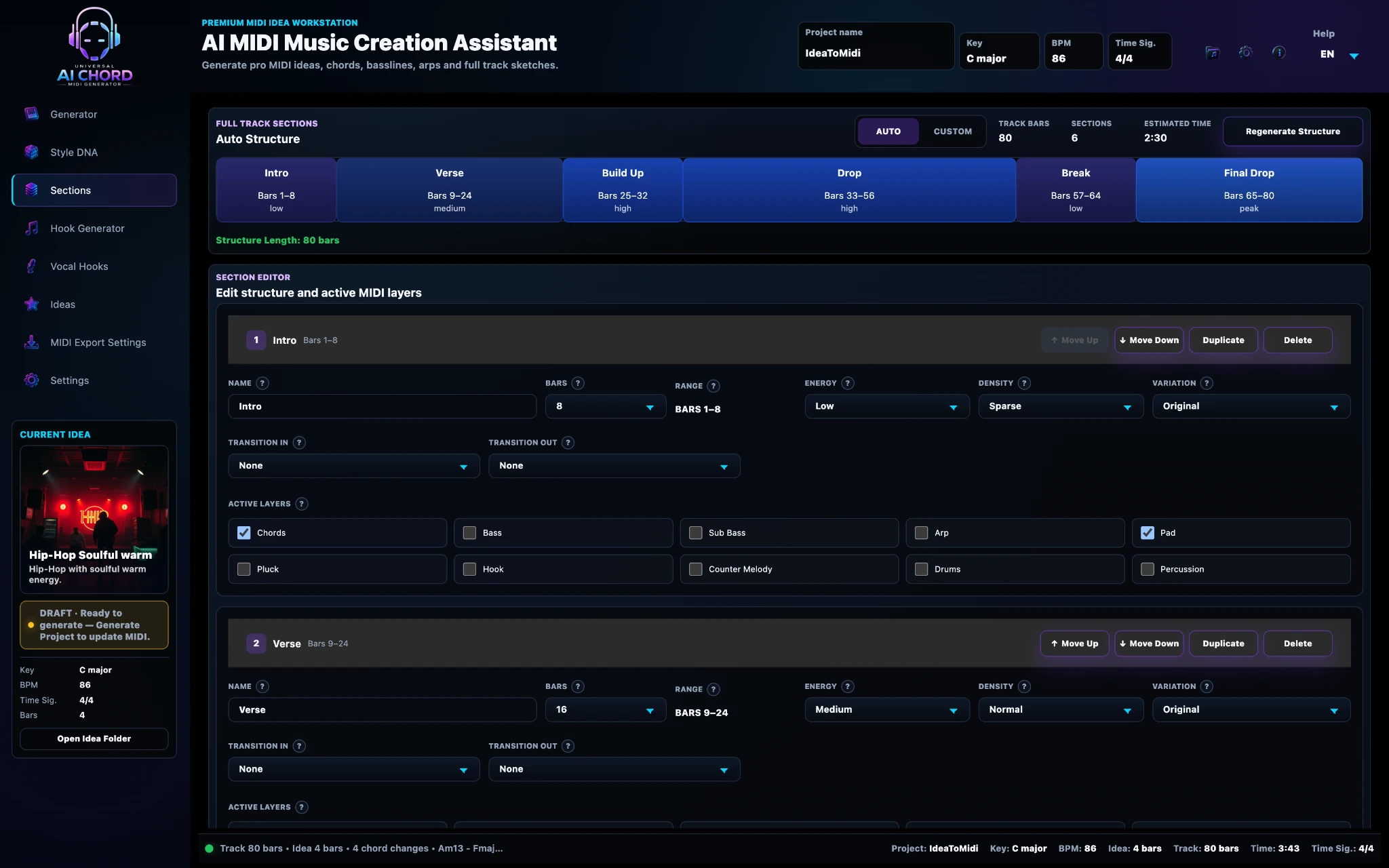
Full Track Sections
Develop one musical idea into a complete arrangement structure.
- Intro, verse, build, drop, break and outro
- Energy, density and active layers per section
- Variations and transition controls
- Flexible full-track lengths and structures
What you gainMove beyond an eight-bar loop to a complete track sketch.
07
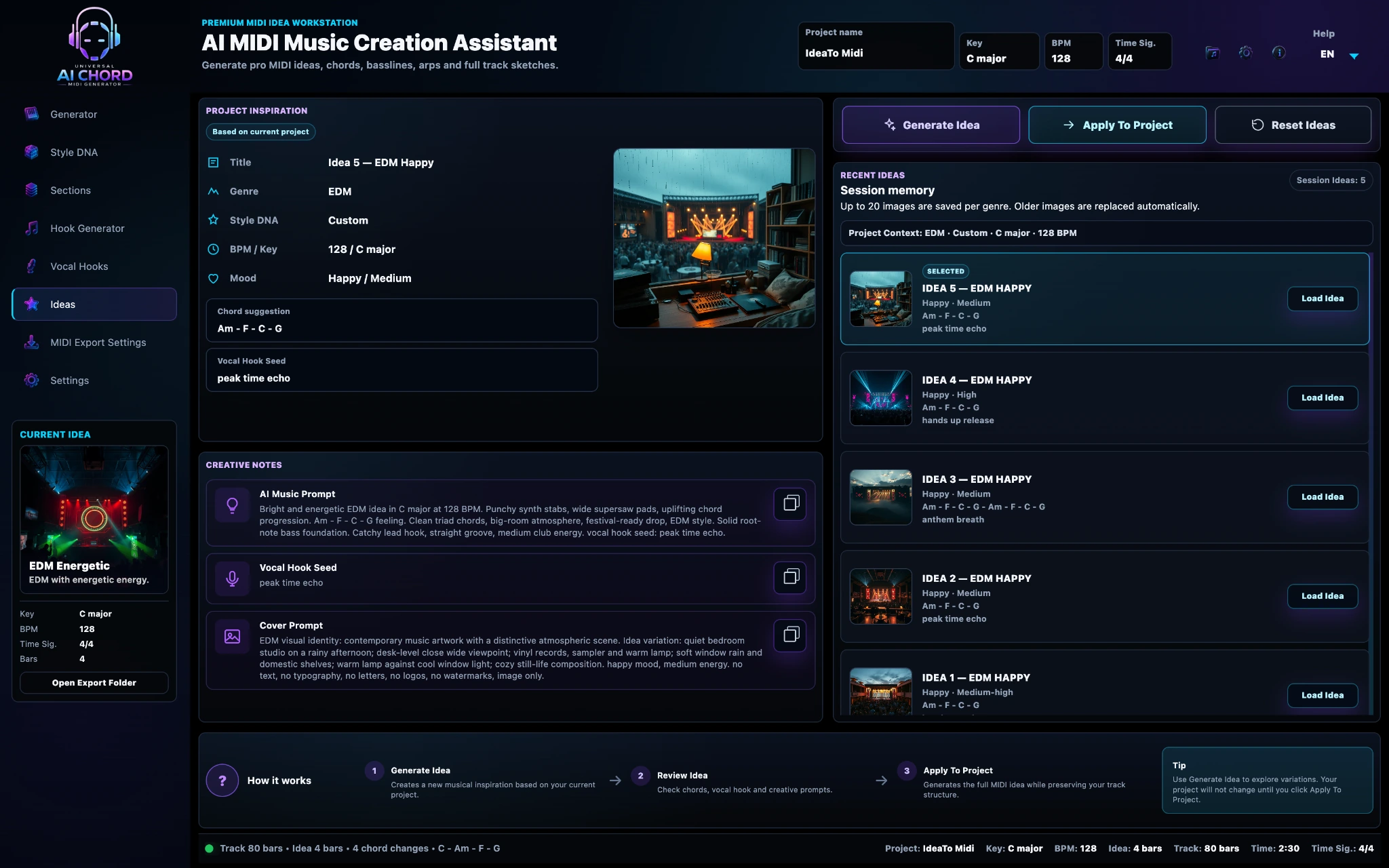
Ideas Workflow
Generate, compare and revisit different musical directions without losing the current project.
- Keep multiple idea versions together
- Review the musical settings behind each idea
- Load a direction back into the project
- Develop alternatives without starting over
What you gainCreative exploration without losing the version that already works.
08
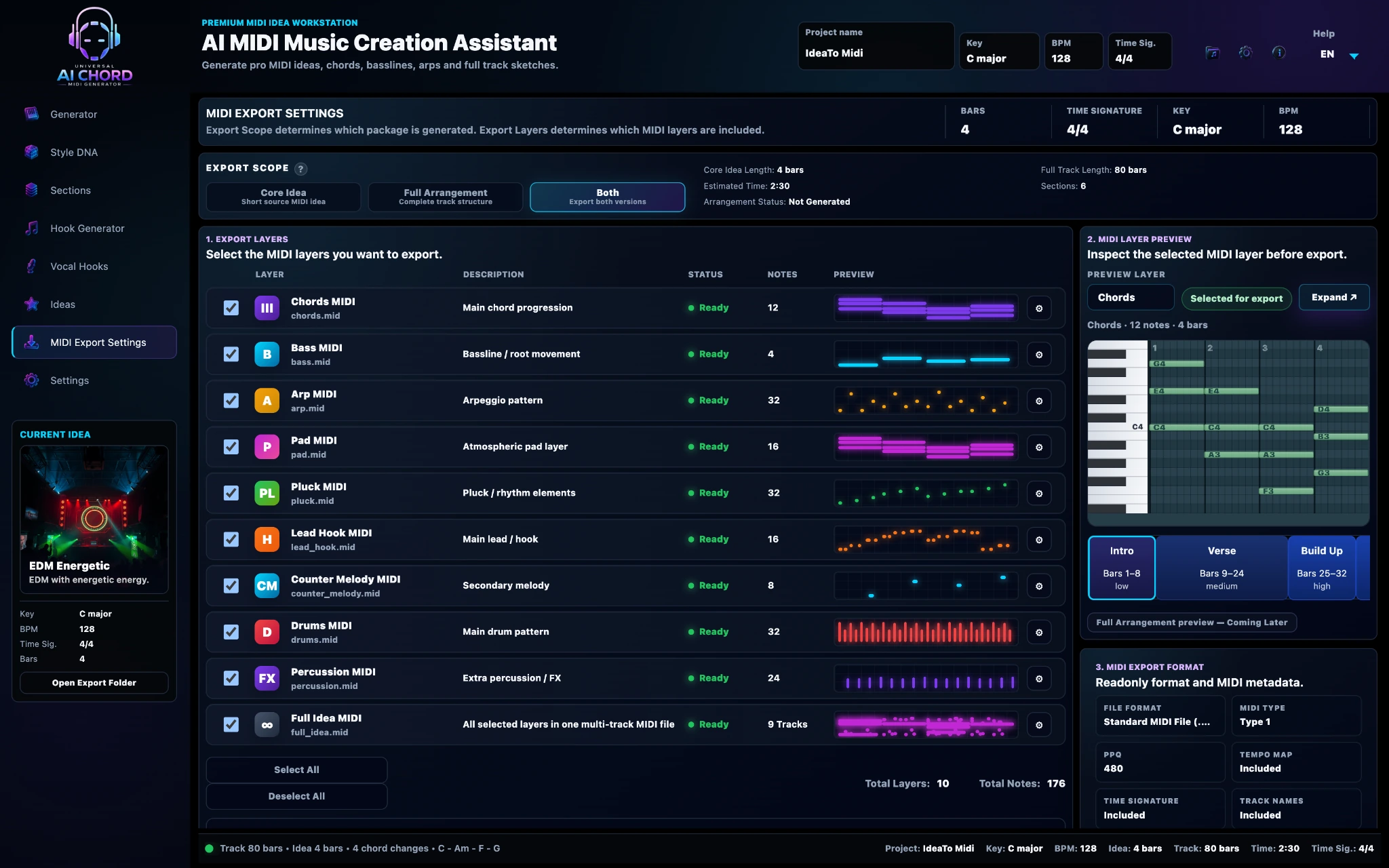
Professional MIDI Export
Export the musical layers as clean, organised and fully editable MIDI.
- Individual chords, bass and hook files
- Core Idea and Full Arrangement export modes
- Tempo-aware project output
- Continue immediately in your preferred DAW
What you gainA practical bridge from generated inspiration to real production.
WHY THE CAPABILITIES GO FURTHER
More than a single-output MIDI generator.
Typical idea generatorUniversal AI Chord MIDI Generator
One isolated outputOne connected musical project
Generic random resultsGenre, mood and Style DNA aware
Single musical layerChords, bass, hooks and sections
Limited arrangement directionComplete track structure workflow
Basic file exportLayered, editable MIDI export
QUICK ANSWERS
Features FAQ
Is the exported MIDI fully editable?
Yes. The notes, timing and musical layers can be edited inside your DAW.
Does the program generate finished audio?
No! The program uses AI to help you find and shape a musical idea as editable MIDI. It does not create a finished audio track. You choose the instruments and complete the arrangement, sound design, production, mixing and mastering in your DAW.
Do I need music theory?
No. The guided workflow helps beginners start quickly, while advanced settings remain available when needed.
Will it work with my DAW?
Standard MIDI files can be imported into FL Studio, Ableton Live, Logic Pro and other DAWs that support MIDI.
Does AI finish the whole song for me?
No! AI helps you overcome the blank project and discover a musical direction. It suggests editable MIDI chords, basslines, hooks and sections, but every final creative decision — and the complete production, mix and master — belongs to you.
Build the musical layers. Shape the final result.
Use professional MIDI tools to create a strong foundation, then choose the instruments, sound design and production direction in your DAW.
Apply for Private Beta